65W vs 100W USB-C Charger for Travel
Affiliate disclosure: This guide contains marked affiliate links, currently to Amazon. Canopy Trips may earn a commission from qualifying purchases at no added cost to you. As an Amazon Associate I earn from qualifying purchases. Recommendations are based on published specifications and source documents, not hands-on testing.
Short answer: Choose a 65W USB-C charger when your exact laptop requires no more than 65W and you usually charge accessories one at a time. Choose a 100W charger when the laptop expects roughly 87W to 100W, or when its documented port allocation leaves enough power for the laptop while a phone or tablet charges. Choose neither for a laptop that needs more than 100W for the charging mode you want.
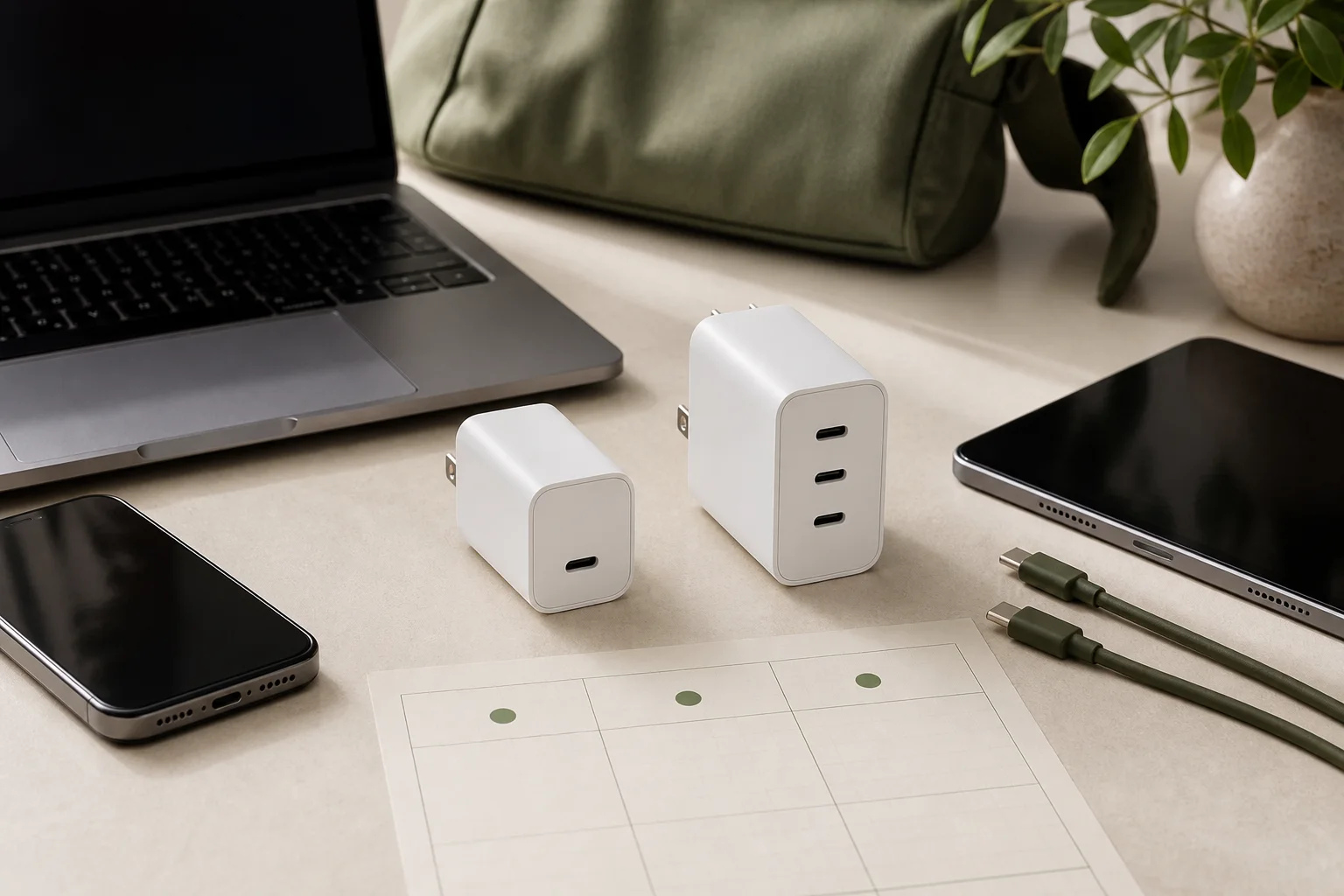
The useful comparison is not “more ports versus fewer ports.” It is your original adapter requirement, the devices you will charge at the same time, the port combination, and the cable between charger and device. The two models below are benchmarks for those different jobs: the Belkin WCA011 represents a one-device 65W setup, while the Anker A2688 represents a 100W multi-port setup.
Start with the original adapter wattage
Find the wattage printed on the laptop’s original adapter or listed in the manufacturer’s exact specification. That number is the first boundary. Apple, for example, documents 61W for relevant 13-inch MacBook Pro models, 87W for relevant 15-inch models, up to 96W for current 14-inch MacBook Pro models, and 140W for current 16-inch models. The examples show the method, not a universal laptop chart. Windows laptops, Chromebooks, gaming laptops, and proprietary charging systems can use different requirements and profiles. Apple recommended Mac power adapters Apple MacBook fast-charging requirements
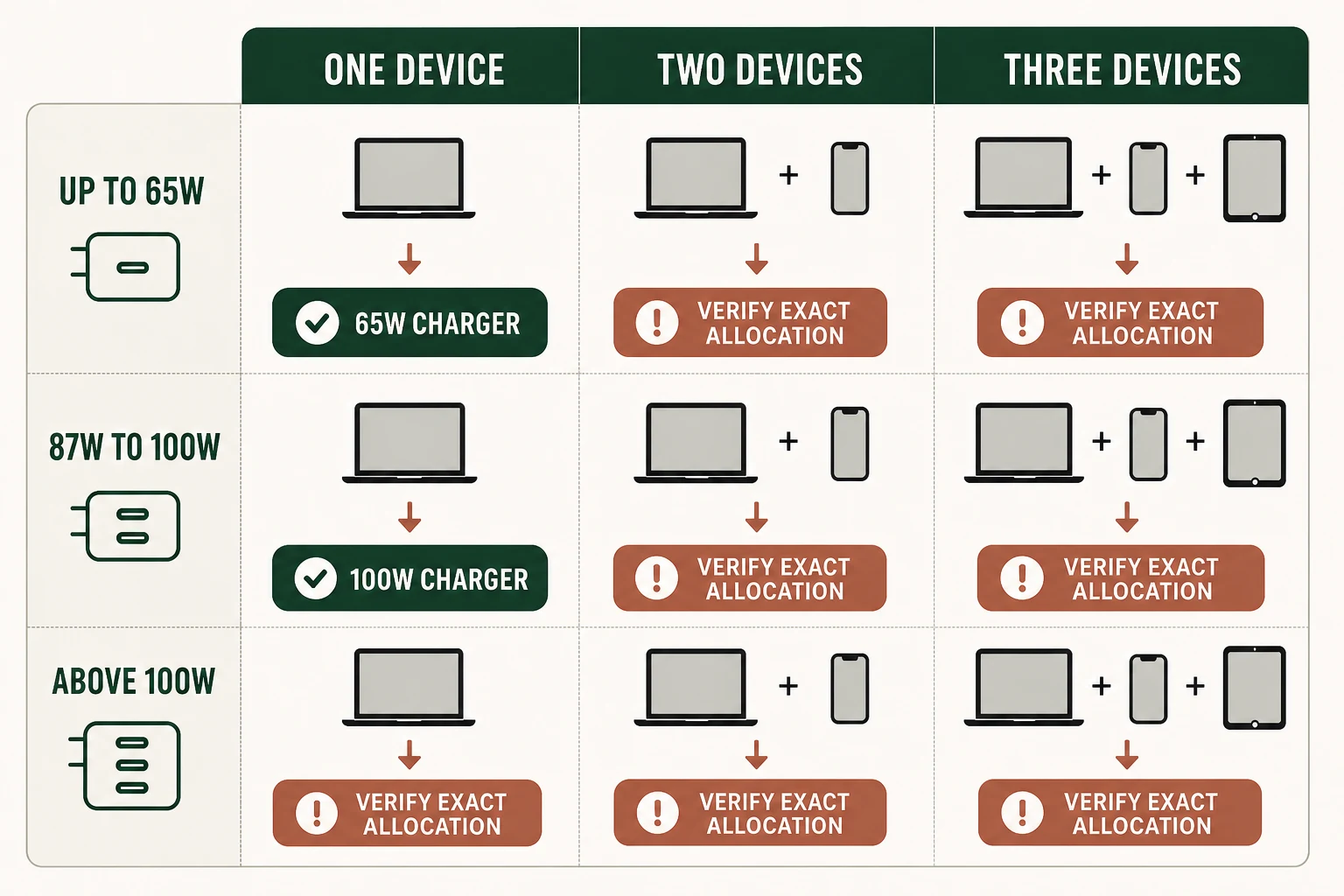
Use this matrix as a screening tool. “Fits” means the documented charger allocation reaches the original adapter tier. “Does not fit” means the allocation is below it. “Unresolved” means the manufacturer does not publish enough per-port detail to make a responsible promise. Your laptop may still charge at a lower rate, or it may reduce performance, but that is not the same as matching its intended adapter.
| Amazon option | Original adapter requirement | One device | Two devices | Three devices | Why it matters |
|---|---|---|---|---|---|
| Belkin BoostCharge Compact USB-C Wall Charger 65W (WCA011) | Up to 65W | Fits: one USB-C PD device up to 65W | Does not fit: one device only | Does not fit: one device only | Simple single-device ceiling; no power-sharing decision |
| Anker Prime Charger 100W, 3 Ports, GaN (A2688) | Up to 65W | Fits: USB-C1 or USB-C2 alone up to 100W | Fits only when the occupied ports preserve the laptop load: USB-C1 + USB-C2 = 65W + 35W; USB-C1 + USB-A = 65W + 22.5W; USB-C2 + USB-A = 12W + 12W | Unresolved per port: 89W total published, but no three-device allocation | Port placement can change the laptop result |
| Belkin BoostCharge Compact USB-C Wall Charger 65W (WCA011) | 87W to 100W | Does not fit: 65W maximum | Does not fit: one device only | Does not fit: one device only | Below the documented high-draw laptop tier |
| Anker Prime Charger 100W, 3 Ports, GaN (A2688) | 87W to 100W | Fits: one USB-C port alone up to 100W | Does not fit for a full-power laptop if the laptop receives only 65W; two-port output is capped at the published 65W + 35W, 65W + 22.5W, or 12W + 12W combinations | Unresolved: 89W aggregate, with no published per-port split | 100W is available alone, not necessarily alongside another device |
| Belkin BoostCharge Compact USB-C Wall Charger 65W (WCA011) | More than 100W | Does not fit | Does not fit: one device only | Does not fit: one device only | 65W cannot meet the requirement |
| Anker Prime Charger 100W, 3 Ports, GaN (A2688) | More than 100W | Does not fit: 100W maximum | Does not fit: documented two-port ceilings are below 100W for the first USB-C port | Does not fit or remains unresolved, depending on the device’s lower-power charging mode | Do not treat 100W as a substitute for a higher-rated adapter |
The matrix exposes the key trap. A 100W label describes the maximum available from one USB-C port under the documented conditions. It does not mean every port receives 100W, or that a 100W laptop keeps full power when another port is occupied. If your laptop needs 87W or more while you charge a phone, the documented 65W laptop allocation may be insufficient. If the laptop needs 65W or less, the USB-C1 plus USB-C2 65W + 35W split may be adequate for the stated load. The three-device result remains unresolved because the published 89W total has no per-port breakdown. Anker A2688 input and port-allocation documentation Anker Prime Charger 100W, 3 Ports, GaN, A2688
What the 65W benchmark gives you
The Belkin BoostCharge Compact USB-C Wall Charger 65W, model WCA011, is the straightforward option for one compatible USB-PD device. Its single USB-C port lists PD 3.1 and PPS profiles through 20V at 3.25A, which is the documented route to its 65W ceiling. It accepts 100–240V AC at 50/60Hz. The US version uses foldable prongs, and Belkin lists a 42-by-42-by-42-millimeter body. Belkin BoostCharge Compact USB-C Charger 65W, WCA011 Belkin WCA011 specifications and warranty FAQ
That design removes a common travel failure point: there is no output-sharing table to interpret. It also removes flexibility. The charger operates one device at a time, has no AC pass-through receptacle, and does not accept an appliance plug such as a hair tool or CPAP power cord. It cannot continue protective earth to an AC appliance because it exposes USB outputs rather than an AC outlet. Its 100–240V input range powers the charger; it does not convert mains voltage for another appliance. Belkin BoostCharge Compact USB-C Charger 65W, WCA011 IEC 60884-2-5 requirements for travel adaptors
Belkin says the WCA011 housing contains at least 90% post-consumer recycled plastic. That is a narrow manufacturer materials statement, not a broad environmental conclusion. The cited standalone product listing omits a cable; the cited bundle includes a one-meter cable, but the product text does not state that cable’s power marking. At 20V and 3.25A, use a cable rated for the intended output rather than assuming every included or existing cable can carry 65W. Belkin BoostCharge Compact USB-C Charger 65W, WCA011 Belkin WCA011 specifications and warranty FAQ USB-C cable power-rating and certification markings
Belkin states that the model is USB-IF certified, but the exact public Test ID was not matched in the reviewed material. That claim addresses USB compliance. It is not proof of a US NRTL mains-safety listing. Check the exact unit’s marks and identifiers before relying on a certification claim. Belkin documents a two-year warranty and a replacement process for eligible defects. No parts catalog or user-repair route was documented. Belkin WCA011 specifications and warranty FAQ Belkin warranty replacement process USB-IF certified product search OSHA NRTL certification FAQ
When the 100W benchmark earns its extra complexity
The Anker Prime Charger 100W, 3 Ports, GaN, model A2688, is the more useful fit for a higher-draw laptop or a planned laptop-plus-device load. Either USB-C port can supply up to 100W alone. The input is rated at 100–240V AC, 2.1A, 50–60Hz. The body measures 43.5 by 29 by 67.8 millimeters and weighs 170 grams. Anker Prime Charger 100W, 3 Ports, GaN, A2688 Anker A2688 input and port-allocation documentation
Its value depends on placing the laptop on the right port. The USB-C1 plus USB-C2 allocation is 65W + 35W. USB-C1 plus USB-A is 65W + 22.5W. USB-C2 plus USB-A is only 12W + 12W. With all three ports occupied, Anker publishes an 89W total but does not publish the per-port split. A three-device plan is therefore a documented aggregate, not a documented laptop guarantee. Anker A2688 input and port-allocation documentation
A2688 also requires a suitable E-Marker cable for full 100W operation, and cables are not included in the reviewed product documentation. Current USB-IF consumer markings distinguish 60W and 240W cable ratings. A current certified 240W cable is the simple choice for either charger’s headline maximum; a 60W cable cannot carry the 65W or 100W maximum. A properly rated cable does not force a laptop or phone to accept more power than its charging system supports. Anker Prime Charger 100W, 3 Ports, GaN, A2688 USB Power Delivery overview USB-C cable power-rating and certification markings
The extra ports do not turn A2688 into a universal travel adapter. Its built-in folding plug has no documented interchangeable destination heads, no AC pass-through, and no appliance-plug acceptance. It cannot provide grounding continuation to an AC appliance, and its 100–240V input is not a voltage converter. Use a separately verified plug adapter when the accommodation socket does not accept the charger’s plug. Neither reviewed product offers a country-by-country socket guarantee. Anker A2688 input and port-allocation documentation Anker Prime Charger 100W, 3 Ports, GaN, A2688 IEC 60884-2-5 requirements for travel adaptors
Anker’s quick-start documentation contains EU conformity and FCC statements. The reviewed material did not independently match an exact US NRTL directory record. OSHA distinguishes a manufacturer’s declaration from certification by an OSHA-recognized NRTL. Treat the documents as evidence to inspect, not as permission to rewrite the product as UL or ETL listed. Anker’s US policy gives Prime chargers a 24-month warranty, normally using a new or refurbished replacement or a usage-adjusted refund. The policy excludes unauthorized repair and limits coverage to the country of original purchase, a material constraint for travelers. No user-repair route was found. Anker A2688 quick-start guide and declarations OSHA NRTL certification FAQ Anker US warranty periods and replacement remedies
Travel checks that wattage cannot answer
Before packing either charger, run this short checklist:
- Device requirement: Record the exact laptop model, original adapter wattage, supported USB-PD or proprietary profiles, and whether your workload needs the full rate.
- Port plan: For A2688, put a laptop on USB-C1 when the documented split matters. Do not treat USB-C2 plus USB-A as equivalent to USB-C1 plus USB-A. Treat the three-port case as unresolved for laptop allocation.
- Cable: Match the cable to the intended current. Full 100W requires an E-Marker cable; do not rely on a 60W-marked cable.
- Socket fit: Verify the destination socket and the purchased regional plug. Folding US prongs do not equal an international head kit.
- Appliance boundary: These are USB wall chargers, not AC travel adapters. They cannot power a hair tool, CPAP AC plug, or other appliance through an output receptacle.
- Safety evidence: Inspect the exact unit’s certification marks and identifiers. USB-IF status, FCC or EU declarations, and an OSHA-recognized NRTL listing are different evidence categories.
- Warranty location: Keep the purchase-country restriction in mind for A2688 and retain the seller and manufacturer records for either model.
- Recall date: Exact-model searches found no WCA011 or A2688 CPSC recall and neither model appeared on its manufacturer’s recall index on August 26, 2026. Recheck the exact model and any included cable before publication and during updates. CPSC recalls and product-safety warnings database Belkin product recall index Anker product recalls
- Operator rules: FAA carry-on battery restrictions concern lithium batteries and power banks. These selected products are mains-powered wall chargers, not battery banks. Airline in-seat outlet limits and cruise-line acceptance were not established, so do not infer permission from the charger wattage or a manufacturer travel phrase. FAA airline-passenger battery restrictions
Choose by the load you will actually carry
Pick the Belkin WCA011 when one compatible laptop needs 65W or less, a single-device workflow suits you, and you want a clear one-port setup. Its small body and foldable US prongs may help with packing, but the supplied evidence does not prove that every 65W charger is smaller or lighter than every 100W charger.
Pick the Anker A2688 when your laptop can use close to 100W alone, or when the documented USB-C1 allocations match a laptop-plus-phone or laptop-plus-tablet plan. Confirm the port and cable before relying on that plan. If all three devices must charge at once, the 89W aggregate lacks the per-port detail needed for a confident laptop recommendation.
For a laptop that calls for more than 100W, use the manufacturer’s higher-rated charging solution or a charger whose output and profiles are documented for that requirement. For destination plug coverage, AC appliance power, grounding, or voltage conversion, continue to Best Universal Travel Adapters with USB-C. For a broader USB-C charger comparison, see Best USB-C Travel Chargers: Output Before Port Count. A battery-powered kit is a different transport question; use Best Airline-Safe Power Banks for Travel (2026) or Solar Charger for a Laptop: Build the Right Travel Kit for those decisions.