Solar Charger for a Laptop: Build the Right Travel Kit
Affiliate disclosure: This guide contains marked affiliate links, currently to Amazon. Canopy Trips may earn a commission from qualifying purchases at no added cost to you. As an Amazon Associate I earn from qualifying purchases. Recommendations are based on published specifications and source documents, not hands-on testing.
A solar panel does not become a laptop charger because both products mention USB-C. The complete system must satisfy the laptop’s input requirement, the battery’s charging input, the battery’s output, and the panel’s real connection path. Miss any one of those checks and an expensive kit may charge slowly or not at all.
For hotel, rail, and ordinary air travel, skip the panel and charge a power bank from the grid. Solar earns its weight at a sunny, stationary base camp where outlets are genuinely unavailable. The systems below are documented combinations, not a new ranking of the smaller panels already compared in the general travel solar guide.
How we compared: the exact panel output, battery input, battery output, stored watt-hours, connector, cable, weight, and airline boundary. Brand recharge times are reported as brand estimates under stated conditions. We did not conduct charging-speed or field-output tests.
Three complete laptop solar systems
| Documented system | Best fit | Stored energy | Solar path | Published system weight | Critical check |
|---|---|---|---|---|---|
| BioLite SolarPanel 100 + BioLite Charge 100 Max | Flights followed by a stationary sunny worksite | 91.3Wh | Panel USB-C PD to battery at up to 45W; battery to laptop at up to 100W | About 12.4 lb before laptop and accessories | Keep the battery in carry-on baggage and confirm laptop input |
| EcoFlow 110W Portable Solar Panel + EcoFlow RIVER 3 Plus | Vehicle-access work camp | 286Wh | Solar connector to station at up to its 220W solar-input ceiling | About 19.2 lb | Station exceeds passenger-airline battery limits |
| Goal Zero Nomad 200 + Goal Zero Yeti 500 | Higher-energy vehicle base camp | 499.2Wh | HPP panel connection; adapter may be required for station input | About 38.1 lb | Verify the exact connector and included cable before purchase |
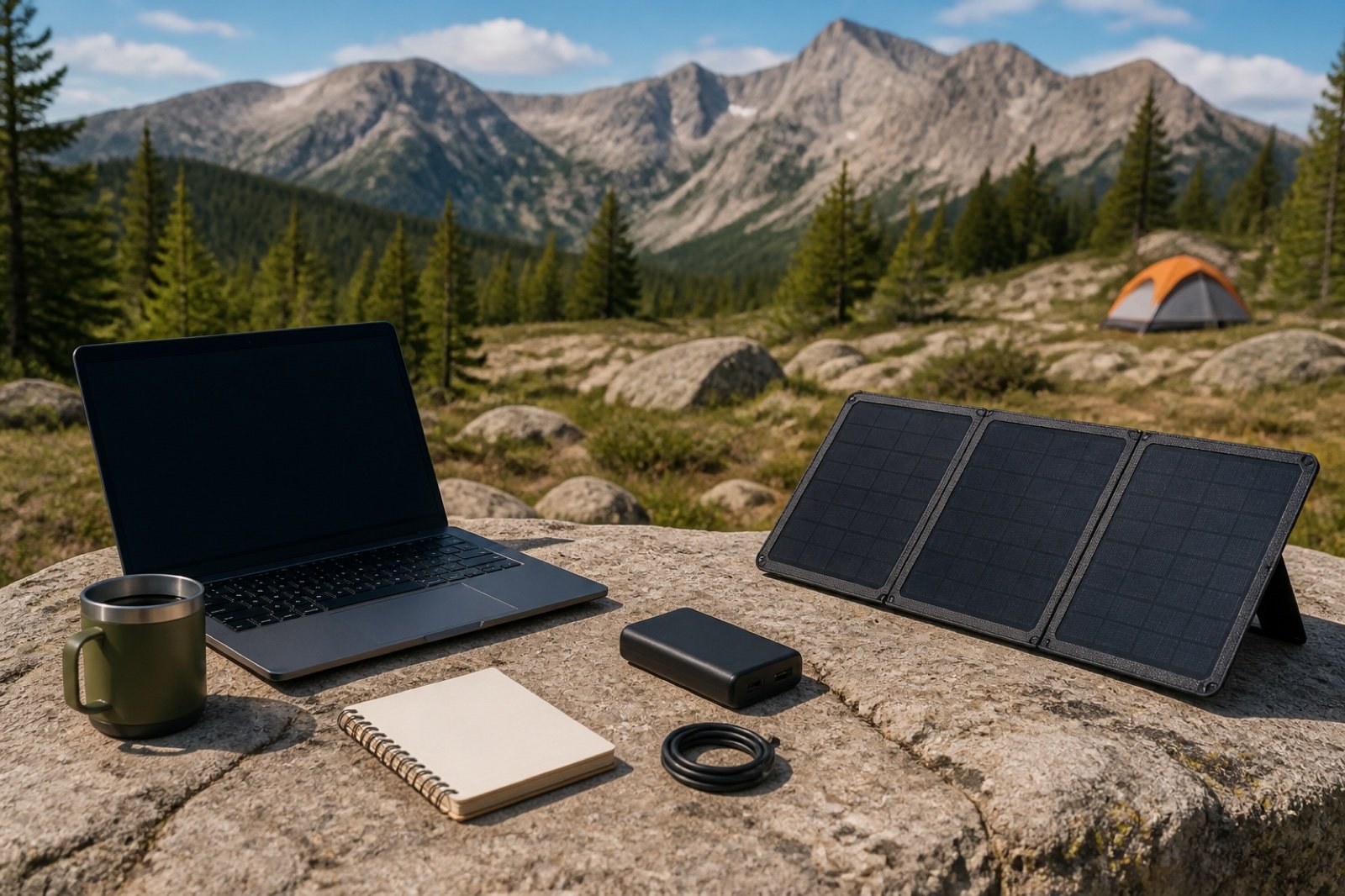
Start at the laptop, not the panel
Read the laptop’s original power adapter. A compact model may accept 45W or 65W USB-C Power Delivery, while a larger workstation may ask for 100W, 140W, 180W, or a proprietary connector. A lower-power source can be rejected, charge only while the laptop sleeps, or lose battery during heavy work.
USB Power Delivery can support far more than basic phone charging, but capability varies by device, charger, port, and cable. The USB Implementers Forum states that USB PD 3.1 supports up to 240W. It also distinguishes compliant USB-C cables rated for 60W or 240W. A USB-C plug shape alone proves neither wattage nor Power Delivery support.
Read the USB-IF Power Delivery overview Read USB-IF cable guidance
- Record the laptop’s required input voltage, current, and watts.
- Identify whether it accepts USB-C PD or requires its AC power brick.
- Choose a battery output that can deliver the required profile.
- Choose a panel and connector that the battery can accept.
- Use a cable rated for the required power.
- Test every component together before the trip.
Why a battery belongs between the sun and the laptop
Panel output moves with shade, cloud, angle, temperature, and time of day. A laptop can react badly to repeated input interruption. A compatible battery acts as a buffer: the panel charges the battery at the battery’s allowed input, then the battery supplies a steadier output to the computer.
The numbers still need to close. A panel sending up to 45W into a battery does not directly provide a continuous 100W solar feed to a laptop. The battery can deliver a shortfall from stored energy, but its charge level will fall whenever laptop demand and conversion losses exceed incoming solar power.
System 1: BioLite for a flyable stored battery
Battery below 100Wh
BioLite SolarPanel 100 and Charge 100 Max
BioLite documents the pair directly. The SolarPanel 100 has a 100W rating and supplies up to 45W through USB-C PD. The Charge 100 Max stores 91.3Wh, accepts up to 65W through USB-C PD, and can provide up to 100W through either of two USB-C ports, with 120W total output. BioLite says the panel can recharge the battery in about 2.5 hours in ideal sun.
The battery weighs 580 grams and falls below the common 100Wh airline threshold, but it remains a spare lithium battery and stays in carry-on baggage. The panel weighs 11.13 pounds. This is a luggage or base-camp system, not a lightweight backpacking recommendation.
Choose it when: the traveler flies with the battery, checks the operating airline’s rule, and will set up a substantial panel after arrival.
Skip it when: regular outlets exist, the 45W solar input cannot keep up with daily laptop energy use, or 11 pounds of panel is not justified.
Compare SolarPanel 100 offers See Charge 100 Max options Read BioLite’s pairing guidance
System 2: EcoFlow for a compact vehicle base camp
Vehicle access
EcoFlow 110W panel and RIVER 3 Plus
The 110W portable panel uses EcoFlow’s solar connection and weighs 8.8 pounds. EcoFlow’s manual lists the RIVER 3 Plus as compatible and states that the station can accept up to 220W of solar input. The RIVER 3 Plus stores 286Wh, supplies 600W through AC, includes a 100W USB-C port, and weighs 10.4 pounds.
At about 19.2 pounds before cables, laptop, and protection, this is a vehicle tool. The 286Wh station is not a normal passenger-airline battery. It fits a road trip, parked field office, or campground where the panel can face open sun without blocking a trail or shared campsite.
Choose it when: 100W USB-C or the laptop’s AC adapter fits the computer and the 286Wh budget covers the expected work.
Skip it when: the traveler needs to fly with the entire system or carry it far from the vehicle.
Compare EcoFlow 110W panel offers See RIVER 3 Plus configurations Read EcoFlow compatibility guidance
System 3: Goal Zero for a larger base-camp budget
Higher stored energy
Goal Zero Nomad 200 and Yeti 500
The Nomad 200 is a 200W folding panel that weighs 22 pounds and uses Goal Zero’s High Power Port connection. The Yeti 500 stores 499.2Wh, accepts up to 200W of solar input, supplies 500W AC and 100W USB-C, and weighs 16.1 pounds. Goal Zero gives a two-to-four-hour solar estimate for a Yeti 500 with a Nomad 200 in its generator-kit documentation.
The approximately 38.1-pound combined weight makes this a deliberate base-camp system. Goal Zero’s published kit information calls for an HPP-to-8mm connector in the relevant setup, so confirm the current panel, station input, adapter, and included cables before ordering.
Choose it when: the laptop and other loads justify roughly 500Wh and the system will stay close to the vehicle.
Skip it when: a sub-300Wh station covers the work or the site lacks enough open, safe panel space.
Compare Nomad 200 offers See Yeti 500 purchase options Read Goal Zero’s panel and station pairing details
When the right solar charger is no panel
Most remote-work travel still passes through airports, stations, hotels, cafes, or vehicles with reliable charging. A 65W or 100W USB-C wall charger and a battery sized to the actual gap between outlets will be lighter, cheaper, and more predictable than a panel.
The airline power bank comparison includes the 72Wh UGREEN Nexode 20K 130W and 91.3Wh BioLite Charge 100 Max for laptop-class output. Always verify the watt-hour label, protect the terminals, and keep the power bank in carry-on baggage.
Build a daily watt-hour budget
A 60W average laptop draw for four hours equals 240Wh before conversion loss. That would already exceed the labeled energy in a 91.3Wh battery and consume most of a 286Wh station. Light writing may draw less; video rendering, gaming, bright displays, cold conditions, and charging other devices can draw more.
Measure or conservatively estimate the actual work pattern. Plan from the longest expected no-outlet interval, not the whole trip. Lowering screen brightness, downloading files in advance, using airplane mode, and scheduling high-load work near grid power can remove more system weight than buying a larger panel.
Frequently asked questions
Can a 100W solar panel charge a 100W laptop directly?
Not necessarily. A 100W panel may expose only a 45W USB-C port, use a solar connector, or deliver less than its rating under real conditions. The laptop also needs the correct USB-C PD profile or AC adapter.
Can a laptop power bank go on a flight?
A power bank at or below 100Wh is generally allowed in carry-on baggage under FAA guidance, subject to airline rules and packing requirements. Batteries from 101Wh through 160Wh need airline approval and are limited. Larger stations in this guide are outside that passenger allowance.
Is a 200W panel better than a 100W panel?
Only when the station can accept the output, the daily load needs it, and the extra weight and setup area fit the route. A station with a 100W solar-input ceiling cannot use a panel’s full 200W rating.
Sources and verification notes
- USB Implementers Forum USB Power Delivery overview, accessed August 25, 2026.
- BioLite SolarPanel 100 specifications and Charge 100 Max specifications, accessed August 25, 2026.
- EcoFlow 110W Portable Solar Panel specifications and RIVER 3 Plus specifications, accessed August 25, 2026.
- Goal Zero Nomad 200 specifications and Yeti 500 specifications, accessed August 25, 2026.
- FAA passenger lithium-battery guidance, accessed August 25, 2026.
For smaller trail systems, continue with solar panel versus power bank for backpacking. For vehicle stations, compare the four camping power stations.